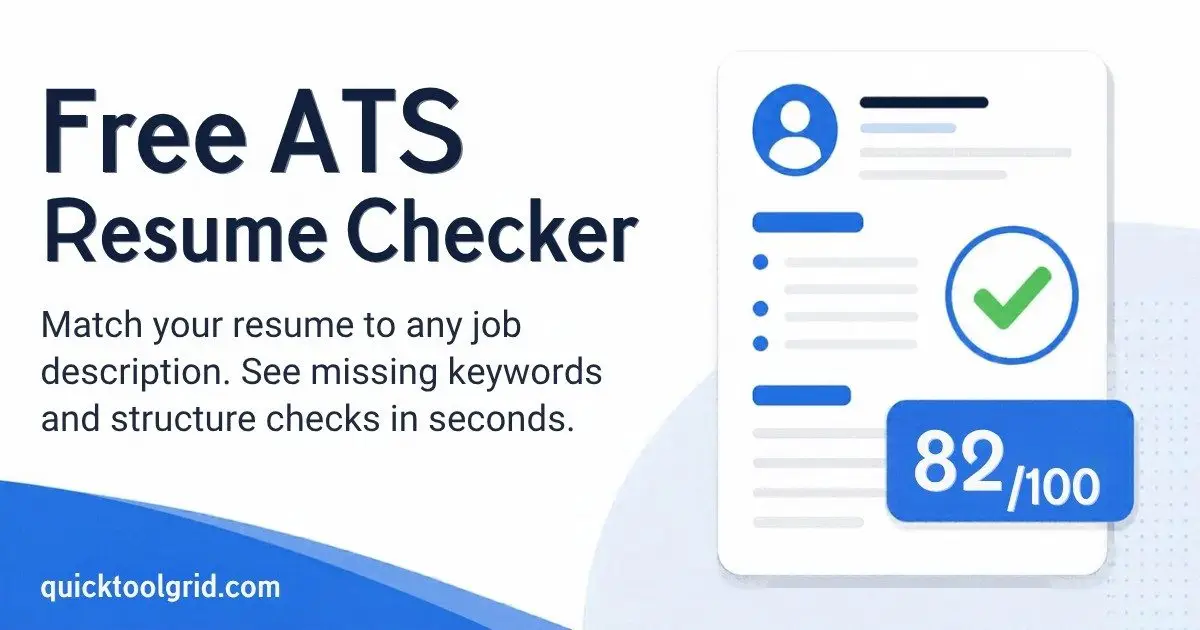
Free ATS Resume Checker
This free ATS resume checker compares your resume with a job description and shows which keywords you are missing. Paste both below to get a match score and a list of fixes. Your text stays in your browser and is not uploaded.
Last updated: October 11, 2026. By the Quick Tools Grid team.
What is an ATS resume checker?
An ATS resume checker is a tool that compares your resume with a job description and flags what is missing before you apply. ATS stands for applicant tracking system, the software many employers use to collect, store and search job applications. A checker like this one cannot see inside any employer’s system. It reads the job posting, picks out the skills and phrases it asks for, and tells you which of them your resume already contains and which it does not.
What is an ATS and how does it read your resume?
When you apply online, an applicant tracking system usually turns your resume into text and sorts it into fields such as name, contact details, job titles, employers, dates and skills. Recruiters can then search and filter those records, for example by a skill or a job title. How much a system ranks or filters candidates automatically varies from one employer and product to another, and the vendors do not publish their rules.
Two practical things follow from this. First, your resume needs to be readable as plain text, with clear headings and a simple layout. Second, the words in your resume should match the words the employer uses for the same skills, because a search for “project management” will not necessarily find “led projects”.
How to use this ATS resume checker
- Copy the full text of your resume from Word, Google Docs or your PDF and paste it into the left box.
- Copy the job description for the role you want and paste it into the right box.
- Click “Check my resume”.
- Read the missing keywords and the structure checks, then edit your resume where the changes are honest.
- Run the check again to see your score change. Repeat for each job you apply to.
How the score works
With a job description, the score is 60% keyword match and 40% resume structure. Without one, it only reflects the structure checks. Keywords are the words and two-word phrases that repeat most in the posting. A keyword counts as matched when it appears in your resume, including simple variations such as “manage” and “managed”.
This is an estimate to help you improve your resume. Every employer’s applicant tracking system works differently and none of them publish how they score, so no tool can show your real score.
What is a good ATS score?
The score on this page is our own scale, not an industry standard, so use it to compare versions of your own resume. As a rule of thumb here, 75 or higher is strong, 50 to 74 means you are getting there, and below 50 means there is real work to do. A perfect 100 is not the goal. A resume that reads naturally and truthfully will often score a little lower than one stuffed with keywords, and that is fine.
How to improve your ATS resume score
- Add missing keywords only where they truly describe your experience. Do not list skills you do not have.
- Use standard section headings such as Summary, Experience, Education and Skills.
- Start bullet points with action verbs and add numbers where you can, such as percentages, budgets or team sizes.
- Keep the layout simple. Tables, text boxes and graphics can make text harder for software to read.
- Tailor your resume for each job instead of sending the same one everywhere.
Need a clean, ATS-friendly layout to start from? Try our free Resume and CV Builder, or use the AI Prompt Generator to prepare prompts for improving your summary. You can find all our tools on the Tools Grid page.
ATS-friendly resume formatting checklist
- Use a single column and a standard font such as Arial, Calibri or Times New Roman at a readable size.
- Label sections with common headings: Summary, Experience, Education and Skills.
- Put your name and contact details in the main body of the page, not only in a header or footer, because some systems skip those areas.
- Write dates in a consistent format, for example “March 2022 – Present”.
- Avoid tables, text boxes, icons and images of text. Software may not read them in the right order.
- Submit a text-based file. If the employer asks for a specific format, follow their instructions.
- Spell out acronyms once, for example “search engine optimization (SEO)”, so both forms can be matched.
How to add keywords to your resume naturally
Look at the missing keywords this checker shows, then ask yourself honestly whether each one describes something you have done. If it does, work it into your experience bullets or your skills section using the employer’s wording.
Before: Ran email campaigns for the company.
After: Launched email marketing campaigns in HubSpot that improved conversion rate by 18%.
The second version is specific, uses the tool and skill names an employer may search for, and includes a result. Do not paste a long list of keywords into a hidden or tiny-font block. Recruiters can see it, and it will not help you in an interview.
Common ATS resume mistakes
- Sending the same resume to every job instead of adjusting it to each posting.
- Using creative section names such as “My Journey” instead of “Experience”.
- Describing duties without results, with no numbers or outcomes.
- Stuffing in keywords you cannot back up in an interview.
- Relying on a design-heavy template where the text does not copy cleanly.
- Leaving out the exact job title or tool names the posting uses, when they genuinely apply to you.
Resume or CV: does it matter?
In the US and Canada, employers usually say resume, and in the UK, Ireland and much of Europe they usually say CV. The checks on this page apply to both. Local conventions differ, for example UK and US applications usually leave out a photo, so follow the norms of the country where you are applying.
Frequently asked questions
What is an ATS resume checker?
It compares your resume with a job description and checks basic formatting, so you can see which keywords you may be missing before you apply.
Does this show my real score in an employer’s ATS?
No. Each employer’s applicant tracking system works differently and does not publish its scoring. This tool gives an estimate of keyword match plus common resume structure checks.
Is my resume uploaded or stored?
No. The analysis runs in your browser, and the text you paste is not sent to our servers.
How do I improve my match score?
Add missing keywords where they honestly describe your experience, use standard section headings, start bullets with action verbs and include measurable results.
Should I write resume or CV?
In the US and Canada, resume is the usual word for a job application document. In the UK, Ireland and much of Europe, CV is more common. The checker works for both.
Can I upload a PDF or Word file?
Not yet. Copy the text from your file and paste it in. If the text does not copy cleanly, software that reads your resume may struggle with it as well.
What is a good ATS score?
There is no industry standard. On this page, 75 or higher is strong, 50 to 74 means you are getting there, and below 50 needs work. Use the score to compare versions of your own resume.
Do I need to match every keyword?
No. Match the ones that honestly describe your experience. Do not add skills you do not have just to raise the score.
Does the checker work for any job?
Yes, for any role where you can paste a job description. It works best with a full posting, because the keywords come from the words and phrases that repeat in the text.
Does it work for UK CVs?
Yes. Paste your CV text just as you would a resume. The keyword and structure checks apply to both.